Saturday, 21 May 2011

Ubuntu Open-Source OS + All application

Ubuntu is a fast, secure and easy-to-use operating system used by millions of people around the world
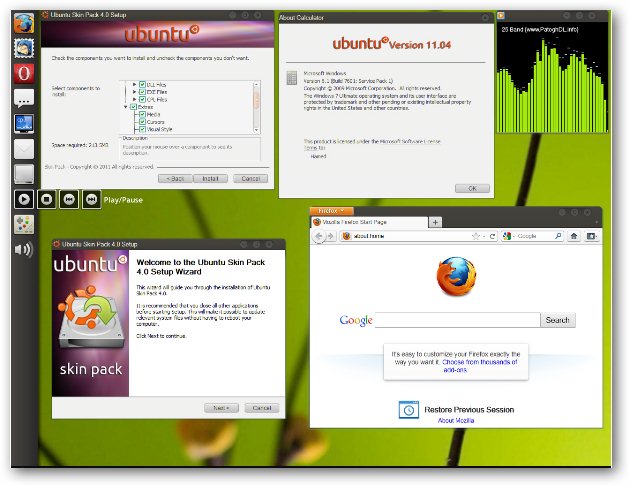

Ubuntu 11.04 Natty Narwhal For Windows 7

Compatible with all your devices
Ubuntu works brilliantly with a range of devices. No installation CDs. No fuss. And it’s compatible with Windows too! So you can open, edit and share Microsoft Office documents easily.

Thursday, 19 May 2011

Open .rar files using Archive Manager in Ubuntu

The “Archive Manager” that is built into Ubuntu to handle archive formats has no native support for the .rar format.

Try opening a .rar file with the Archive Manager and you got an error.


Tuesday, 17 May 2011

Easy Instalation Drupal on Ubuntu 10.04 LTS “Lamp server”


Here is a guide to install Drupal 6 on a LAMP server on Ubuntu 10.04 LTS. Before installing you have to make sure that port 80 is forwarded (you can do this in your modem/router) to the ip adress of the pc that you want to use for your website. How to do that depends on the modem/router you are having, to find out how to forward a port read the manual that came with it.

Before you can install Drupal you need to create a database, open your web browser and copy+paste the following url into your browser:

GIMP in Single window Mode (Ubuntu)

GIMP is one of the most powerful open-source image editing application, rivaling even some of the commercial application out there. One thing that usually turn off people who have migrated to GIMP from other professional software is the extremely different interface that GIMP has. While other software utilizes a single window interface, GIMP has a multi-window interface.

Mostly Designer come to GIMP was photoshop user and main thing they miss in gimp is easy shortcut like photoshop and second is Single window mode. Yes, mostly everyone ask on internet if they can enable single window mode in GIMP. So, here is the solution of your Single window mode in GIMP (Ubuntu) is in few line. Just paste and have the magic.

Aaaaaaaaaaaaaaaaand here we present that line's of magic :

Sunday, 15 May 2011

CloneZilla – Open Source System Ghost Utility


If you have played the part of a System Admin in your own home or for a friend, you might have a disk imaging software in your arsenal.
Traditionally, it involved using proprietary software like Norton Ghost, Symatc Ghost, etc to ‘ghost’ your machine.
Clonezilla is an open source clone system solution (OCS). Clonezilla is DRBL,Partition Imagentfsclonepartclone, and udpcast, allows you to do bare metal backup and recovery.

Clonezilla Features

  • Clonezilla is available as Live and SE (server edition).
  • Live supports single install and SE supports massive deployments

Free Operating system - no Piracy anymore

Hi there, Here we will provide you solution of piracy. You will never need to do piracy for your PC, Desktop, Notebook.
Go Opensource, Try Free Application with Free Operating system. There are mainly type of Operating system

  1. Windows
  2. Unix
  3. Linux
  4. Solaris
  5. Free BSD
  6. Haiku
  7. Mac OS