

Step 1: Download Cufón
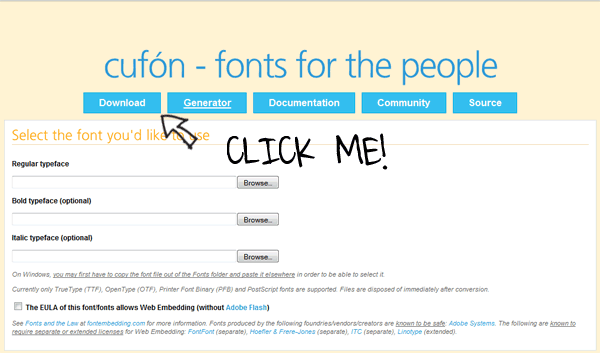
Step 2: Convert a Font
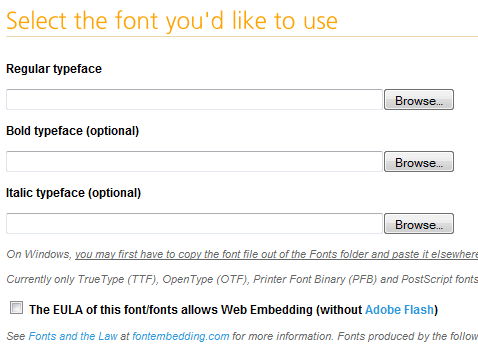
If desired, also upload the italic and bold files as well.

Step 2b
Next, you’ll need to choose which glyphs should be included. Don’t be so quick to simply “CHOOSE ALL”. Doing so will cause the JS file size to increase dramatically. For example, we probably don’t need all of the Latin glyphs; so make sure they are left unchecked. In my case, I’ve checked the ones you see below.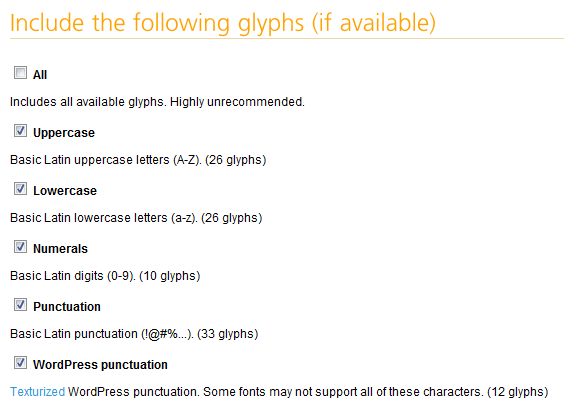
Step 2c
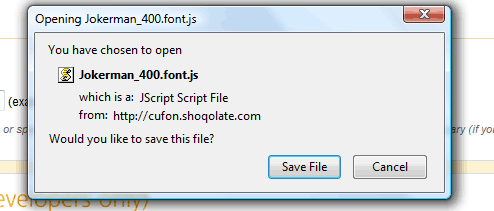
Cufón allows you to designate a specific url for your file, to increase security. It’s extremely important that you ensure that you have the proper privileges to use a font. REFER HERE to review the terms. If advantageous, type in your site’s url into this box.Since we’re just getting started, you can leave the final two sections at their default values. Accept the terms, and click “Let’s Do This”. You’ll then be presented with a download box asking you where to save the generated script. Once again, save it to your desktop for easy retrieval.
Step 3
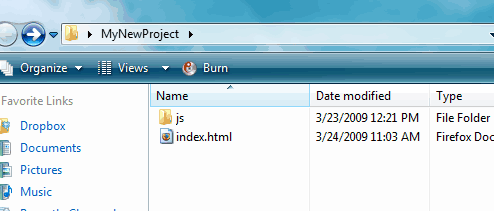
Open the index file in your favorite code editor, add the basic HTML tags, and then reference your two Javascript files just before the closing body tag (you’re free to add them to the head section as well).
- <script type="text/javascript" src="js/cufon-yui.js"></script>
- <script type="text/javascript" src="js/Jokerman_400.font.js"></script>
Calling the Script
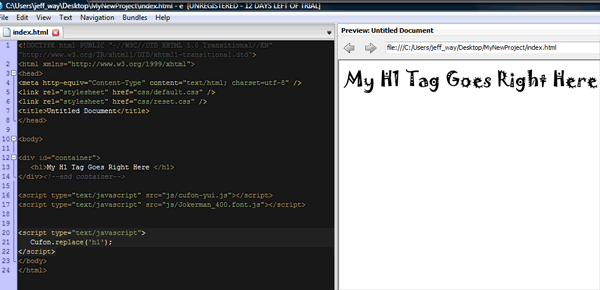
Now, we need to decide what text should be replaced. Since our document is still blank, feel free to litter it with random tags and text. Let’s try to replace the default font in all the H1 tags with Jokerman.- <script type="text/javascript">
- Cufon.replace('h1');
- </script>
Step 3b
As always, IE needs a bit more to play nicely with the others. If you view this page in IE, you’ll notice a slight flickr/delay before the font is rendered. To remedy, simply append:- <script type="text/javascript"> Cufon.now(); </script>
Step 4
Let’s imagine that you want to have more control over your selector. For instance, perhaps you don’t want to change ALL the H1 tags, but merely the ones within the header of your document. Cufón doesn’t have its own selector engine built in. This feature was omitted to keep the file size as small as possible. Though this might seem like a downfall at first, it’s actually a great idea. Considering the ubiquity of Javascript frameworks lately, there is no need to double-up. We’ll review two methods to target specific elements.Method 1: Javascript
If you won’t be using a JS framework in your project, we’ll simply use:- Cufon.replace(document.getElementById('header').getElementsByTagName('h1'));
Method 2: jQuery
To piggyback off of jQuery’s selector engine, we only need to import jQuery before Cufón.- <script type="text/javascript" src="http://ajax.googleapis.com/ajax/libs/jquery/1.3.2/jquery.min.js"></script>
- <script type="text/javascript" src="js/cufon-yui.js"></script>
- <script type="text/javascript" src="js/Jokerman_400.font.js"></script>
- Cufon.replace('#header h1');


No comments:
Post a Comment