Sunday, 10 July 2011

Use Any Font in HTML with better control


Step 1: Download Cufón
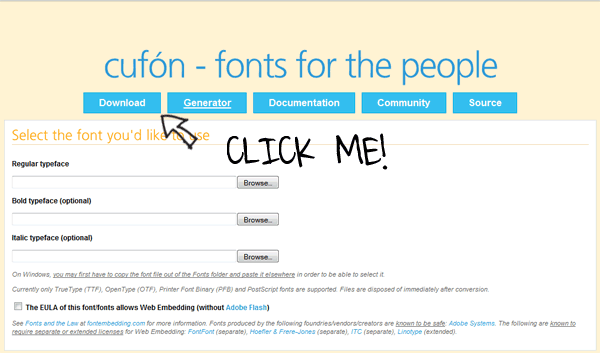
Cufon homepage
Visit Cufón’s website and right-click on the “Download” button at the top. Choose “Save-As” and place it on your desktop.

Step 2: Convert a Font

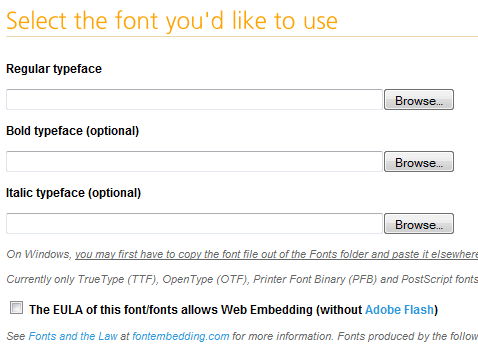
Choose A Font
In order to function, we need to use the font converter utility on the website. Alternatively, you may download the source code and convert your fonts locally. For the purposes of demonstration, I’ve chosen to use an obnoxious font: “Jokerman”. Note – Windows users: you may have to copy the font from your “FONT” folder to the desktop for this to work.

Monday, 4 July 2011

open rar archive files under Linux / UNIX

RAR files are in compressed archive format, if you have downloaded rar files from the Internet, you need to unpack or unrar them (extract rar files).
By default unrar is not part of Linux, FreeBSD or UNIX OSes. You can install unrar command with the help of apt-get or yum command.
See below for:

Install unrar command

Under Debian Linux, you need to type apt-get as follows to install unrar program:

apt-get install unrar

If you are using Fedora core Linux then use yum command as follows (see discussion below):

Import Script, Import CSS, Import PHP

JavaScript:

<script
   type='text/javascript'
   src='directory/file.js'>
</script>
CSS:
<style type='text/css'  media='all'>
   @import 'directory/file.css';
</style>

Icon:

<link
   rel='Shortcut Icon'
   href='directory/file.ico'
   type='image/x-icon'>

PHP:

<?php @ require_once ('directory/file.html'); ?>

For the PHP import, by placing the @ symbol before require_once suppresses any error messages that might be generated in the included PHP file.

JSP:

<%@ include file='jspfile.jspi' %>

And, well, I guess the list can go on and on. You can use Struts Tiles to include other JSP snippets. I am sure that other languages and frameworks have the same functionality.

Sunday, 3 July 2011

record internet radio using vlc

VLC is open source programme, now using for recording a internet radio.

First open a empty text file in terminal

sudo gedit recordint.sh

Now copy and paste the following lines

replace photoshop keyboard shortcuts with gimp

To get keyboard shortcuts in The Gimp that resemble shortcut keys in Photoshop, Create an empty file on desktop and paste the following code in it and same it as "menurc".


After saving file as "menurc". now re-place this file with file named menurc in or whatever version of Gimp you installed.

/home/USERNAME/.gimp-2.7